|  | Topic : Useful forum information. |  |
| | | GerPa | | Jupiter |  |  | | Reg. Date | : | 10/12/2011 | | Posts | : | 1,919 | | Location | : | Mackay, Central Queensland, Australia |
|
| | Posted : 04 Apr 2013 - 12:50 Post title : Re: Useful forum information. Linking a previous Forum Thread to a New Forum Thread | | | Hello Everyone
Can Anyone please explain how to be able to link a previous thread that is already on the Forum to a current or new thread 
i.e. When someone asks a question and there is already a thread explaining the problem.
If it can be done what are the steps to do it ?
Rgds
Gerry D
|  May-2011-1600, 20306 Tune, Mustang Vintage Solo Seat, Meerkat Cat Bypass, + Meerkat Modified Short TORS May-2011-1600, 20306 Tune, Mustang Vintage Solo Seat, Meerkat Cat Bypass, + Meerkat Modified Short TORS   ,K&N Air Cleaner,K&N Oil Filter, JBQ lifting system, Gold Plug Magnetic Sump Plug,Dart Fly screen, Rivco Risers, GiPro Gear Indicator, Breakaway Cruise Control, Avon ISO Grips, Scorpion Western Low Handlebars, Kury Switchblade Pegs, Garmin Zumo390LM,Michelin RC2 on Front RC 3 on ,Modified Rear Drive Pulley Hub Bearings (Mat1600/Alex4 Modification) Front Susp: Std & 7.5W Oil /126mm Air Gap & Rear:Hagon Nitro's with 26Kg/cm Springs + Lots of other "Bling" stuff. ,K&N Air Cleaner,K&N Oil Filter, JBQ lifting system, Gold Plug Magnetic Sump Plug,Dart Fly screen, Rivco Risers, GiPro Gear Indicator, Breakaway Cruise Control, Avon ISO Grips, Scorpion Western Low Handlebars, Kury Switchblade Pegs, Garmin Zumo390LM,Michelin RC2 on Front RC 3 on ,Modified Rear Drive Pulley Hub Bearings (Mat1600/Alex4 Modification) Front Susp: Std & 7.5W Oil /126mm Air Gap & Rear:Hagon Nitro's with 26Kg/cm Springs + Lots of other "Bling" stuff.
| | Post edited by GerPa on 04 Apr 2013 - 12:53 |
|
| | | mat1600 | | Thunderbird | |  | | Reg. Date | : | 06/03/2010 | | Posts | : | 8,596 | | Location | : | Bridlington, Democratic Independant State of Yorkshire, United Kingdom |
|
| | Posted : 04 Apr 2013 - 14:35 Post title : Re: Useful forum information. Linking a previous Forum Thread to a New Forum Thread (Re: GerPa) | | | I open another window with the forum on and just copy the HTTP// at the top of the page. Then paste it on to your post.
Or stay in the one window and copy the HTTP// and then start your new post and paste it in .
| My first natural instinct is to breathe. My second is to evade tax's.
|
|
| | | GerPa | | Jupiter | | | | Reg. Date | : | 10/12/2011 | | Posts | : | 1,919 | | Location | : | Mackay, Central Queensland, Australia |
|
| | Posted : 04 Apr 2013 - 20:43 Post title : Re: Useful forum information. Linking a previous Forum Posts to a New Forum Post (Re: mat1600) | | | Hi Matt
Are you saying that if you are using " Internet Explorer " that you simply copy the Tab in the upper LH Corner next to the forward and backward arrows and past that into the post you want to link with
I tired that and ended up with a whole lot of text. after the blue link If I delete the additional text the link disappears Is this correct
Link Talk-How to ... step by step.-FITTING AFTERMARKET REAR WHEEL ADJUSTERS.)&InSkin=Ancient#top

| May-2011-1600, 20306 Tune, Mustang Vintage Solo Seat, Meerkat Cat Bypass, + Meerkat Modified Short TORS ,K&N Air Cleaner,K&N Oil Filter, JBQ lifting system, Gold Plug Magnetic Sump Plug,Dart Fly screen, Rivco Risers, GiPro Gear Indicator, Breakaway Cruise Control, Avon ISO Grips, Scorpion Western Low Handlebars, Kury Switchblade Pegs, Garmin Zumo390LM,Michelin RC2 on Front RC 3 on ,Modified Rear Drive Pulley Hub Bearings (Mat1600/Alex4 Modification) Front Susp: Std & 7.5W Oil /126mm Air Gap & Rear:Hagon Nitro's with 26Kg/cm Springs + Lots of other "Bling" stuff.
| | Post edited by GerPa on 04 Apr 2013 - 20:44 |
|
| | | mat1600 | | Thunderbird | | | | Reg. Date | : | 06/03/2010 | | Posts | : | 8,596 | | Location | : | Bridlington, Democratic Independant State of Yorkshire, United Kingdom |
|
| | Posted : 04 Apr 2013 - 23:57 Post title : Re: Useful forum information. Linking a previous Forum Posts to a New Forum Post (Re: GerPa) | | |
GerPa wrote:
Hi Matt
Are you saying that if you are using " Internet Explorer " that you simply copy the Tab in the upper LH Corner next to the forward and backward arrows and past that into the post you want to link with
I tired that and ended up with a whole lot of text. after the blue link If I delete the additional text the link disappears Is this correct
Link Talk-How to ... step by step.-FITTING AFTERMARKET REAR WHEEL ADJUSTERS.)&InSkin=Ancient#top
|
|
Yeah. The link works. Don't worry about all the text.
| My first natural instinct is to breathe. My second is to evade tax's.
|
|
| | | MotorMac | | Jupiter | |  | | Reg. Date | : | 29/08/2010 | | Posts | : | 1,946 | | Location | : | Nor Cal, United States |
|
| | Posted : 02 Feb 2014 - 19:45 Post title : Re: Useful forum information. Did I damage my album? | | | Hate to be a bother, but something weird is going on in my album. I posted about turn signal bulbs Link and included a pic of the socket - which has gone missing from post. So I went into my album and it's still there. (Did naming it later screw things up?)
Weird thing is this: If you click on the pic in my album (center one below), it comes up full size with thumbnails of previous and next pics, but the next pic (orange graphic) is not in my album and I have no idea what it is or where it came from. Is it a graphic from blog app?
Screen shot of the thumbnails I see from opening center pic:

| 
|
|
| | | MotorMac | | Jupiter | | | | Reg. Date | : | 29/08/2010 | | Posts | : | 1,946 | | Location | : | Nor Cal, United States |
|
| | Posted : 05 Feb 2014 - 18:28 Post title : Re: Useful forum information. Did I damage my album? (Re: MotorMac) | | | Tried to edit (delete?) the orange graphic and got this:

|
|
|
| | | Bedouin | | Jupiter | |  | | Reg. Date | : | 18/10/2008 | | Posts | : | 1,072 | | Location | : | Athens, Greece |
|
| | Posted : 05 Feb 2014 - 19:20 Post title : Re: Useful forum information. Did I damage my album? (Re: MotorMac) | | | Sorry MotorMac, I've just seen your posts. I'll look into this and get back to you.
| Blessed are those eyes that have seen more roads than any man! (Homer).
|
|
| | | Badgerbird | | Set | |  | | Reg. Date | : | 27/06/2014 | | Posts | : | 97 | | Location | : | United Kingdom |
|
| | Posted : 06 Oct 2014 - 20:37 Post title : Re: New post question | | |
when a new post has been added you have to scroll through to the last thread to find it, can the latest post be put at the front like other forums?.
Just a thought..????
| | Post edited by Badgerbird on 06 Oct 2014 - 20:41 |
|
| | | Swagger | | Jupiter | |  | | Reg. Date | : | 15/04/2012 | | Posts | : | 1,103 | | Location | : | United Kingdom |
|
| | Posted : 06 Oct 2014 - 21:37 Post title : Re: New post question (Re: Badgerbird) | | |
Badgerbird wrote:
when a new post has been added you have to scroll through to the last thread to find it, can the latest post be put at the front like other forums?.
Just a thought..???? |
|
You can customise your profile to do that.
| The Force is strong in this one

|
|
| | | barks | | Set | |  | | Reg. Date | : | 10/03/2015 | | Posts | : | 243 | | Location | : | Adelaide , SA, Australia |
|
| | Posted : 07 Apr 2015 - 00:05 Post title : Re: Useful forum information. (Re: Boomer) | | | Hi I'm not having much luck using the search feature... Sometimes I find searching in Google brings up better results.
Am I doing something wrong?
| You live more in 5 minutes on a bike like this going flat out than some people live in their lifetime. Burt MUNRO.
2013 Black Storm / Slcharger Tune V2 / Dave Platt Exhaust / Decat / Hagon Nitros 20mm lowered / Yamaha raider handlebars / Exhaust wrap / Sunpie single conversion led headlight / Kellermann Atto handlebars Indicators / Crash bar with highway pegs and 90w led spotlights / slip on handlebar grips / Honda sissybar & saddlebag supports
| | Post edited by barks on 07 Apr 2015 - 00:06 |
|
| | | BizRider | | Set | |  | | Reg. Date | : | 19/04/2013 | | Posts | : | 98 | | Location | : | Pompano Beach, Florida, United States |
|
| | Posted : 07 Apr 2015 - 23:17 Post title : Re: Useful forum information. (Re: barks) | | | Yeah, It takes a little getting used to using local search. I use google to search this site by adding "site:www.thunderbird1600.com" before my search term. For example if I'm looking for windshields for my Storm, I use this query: site:www.thunderbird1600.com "storm windshield"
Here's how: Link
| When life throws me a curve, I lean into it...
|
|
| | | barks | | Set | | | | Reg. Date | : | 10/03/2015 | | Posts | : | 243 | | Location | : | Adelaide , SA, Australia |
|
| | Posted : 08 Apr 2015 - 00:53 Post title : Re: Useful forum information. (Re: BizRider) | | |
BizRider wrote:
Yeah, It takes a little getting used to using local search. I use google to search this site by adding "site:www.thunderbird1600.com" before my search term. For example if I'm looking for windshields for my Storm, I use this query: site:www.thunderbird1600.com "storm windshield"
Here's how: Link |
|
Thanks dude!
I'll give that a go 
| You live more in 5 minutes on a bike like this going flat out than some people live in their lifetime. Burt MUNRO.
2013 Black Storm / Slcharger Tune V2 / Dave Platt Exhaust / Decat / Hagon Nitros 20mm lowered / Yamaha raider handlebars / Exhaust wrap / Sunpie single conversion led headlight / Kellermann Atto handlebars Indicators / Crash bar with highway pegs and 90w led spotlights / slip on handlebar grips / Honda sissybar & saddlebag supports
|
|
| | | GerPa | | Jupiter | | | | Reg. Date | : | 10/12/2011 | | Posts | : | 1,919 | | Location | : | Mackay, Central Queensland, Australia |
|
| | Posted : 27 Apr 2015 - 21:58 Post title : Re: Useful forum information. (Re: Boomer) | | | Boomer wrote:
This will probably be a constantly updated thread.
1. EMBEDDING LINKS and PiICTURES.
In order to embed links to other sites, pictures etc. the only requirement is that you always have the "http://" prefix in front of the address, nothing else.
Examples:
Link - http: //www. yoursite .com (WITHOUT spaces).
Your URL link will then automatically show up as "Link" in your post. The title "Link" can be renamed, just edit your post and replace the word "title" with the desired name.
Picture - http:// www.yoursite.com /yourpicture.jpg (WITHOUT spaces)
You can also upload a picture directly from your PC and embed it into your post ... without further modification.
When writing a post just click "upload picture" and select it from your hard disk.
The picture will be embedded at the exact position your cursor was last at in your post.
This picture will also be included in your photo album, thus adding to the used space in your total quota of 10 MB (see below).
2. PHOTO ALBUM.
You can upload pictures directly into your photo album.
The maximum size allowed is 200 kb per picture.
Each member has an initial disk space of 10 MB available for pictures.
Therefore, if on average your pictures are 80kb each in size, your album will hold a total of 125 pictures.
In order to embed a picture from your photo album into a post ... click on the "upload photo" button and then select the "use photo album" button to select picture from your photo album.
|
|
 Does anyone know how to complete the last line from Boomers original thread on linking existing photos from your album back to a new thread. I cant get it to work. Does anyone know how to complete the last line from Boomers original thread on linking existing photos from your album back to a new thread. I cant get it to work.
I know I am not the brightest bulb in the Chandelier but I reckon I am far from the dimmest.
What is the step by step procedure to get Photos from your album back into another thread ?
| May-2011-1600, 20306 Tune, Mustang Vintage Solo Seat, Meerkat Cat Bypass, + Meerkat Modified Short TORS ,K&N Air Cleaner,K&N Oil Filter, JBQ lifting system, Gold Plug Magnetic Sump Plug,Dart Fly screen, Rivco Risers, GiPro Gear Indicator, Breakaway Cruise Control, Avon ISO Grips, Scorpion Western Low Handlebars, Kury Switchblade Pegs, Garmin Zumo390LM,Michelin RC2 on Front RC 3 on ,Modified Rear Drive Pulley Hub Bearings (Mat1600/Alex4 Modification) Front Susp: Std & 7.5W Oil /126mm Air Gap & Rear:Hagon Nitro's with 26Kg/cm Springs + Lots of other "Bling" stuff.
| | Post edited by GerPa on 27 Apr 2015 - 22:00 |
|
| | | MotorMac | | Jupiter | | | | Reg. Date | : | 29/08/2010 | | Posts | : | 1,946 | | Location | : | Nor Cal, United States |
|
| | Posted : 28 Apr 2015 - 00:36 Post title : Re: Useful forum information. (Re: GerPa) | | | I see the problem; once you navigate to the photo you want, there's no easy way to select it.
On a PC you might right-click and see "copy image link" or "copy image address" option; on a Mac, control-click the image and you'll see the same option (press control key when clicking image). Use it, then go back to your post and paste. That's how the following pic got here:
(actual address for this image is "http://www.tb1600.com/csp/Thunderbird/Uploads/Users/MotorMac/PhotoAlbum/elekcr4sxs.jpg")
Any help?
|
|
|
| | | GerPa | | Jupiter | | | | Reg. Date | : | 10/12/2011 | | Posts | : | 1,919 | | Location | : | Mackay, Central Queensland, Australia |
|
| | Posted : 28 Apr 2015 - 01:17 Post title : Re: Useful forum information. (Re: MotorMac) | | | "http://www.tb1600.com/csp/Thunderbird/Uploads/Users/GerPa/PhotoAlbum/0l6aqiodl9.jpg"
Nuh. didnt work. I even tired pasting the address into the upload window and it dosent like that either. Might be one for Bedouin. I will PM him and see if he has an easy solution. gotta be some easy way.
| May-2011-1600, 20306 Tune, Mustang Vintage Solo Seat, Meerkat Cat Bypass, + Meerkat Modified Short TORS ,K&N Air Cleaner,K&N Oil Filter, JBQ lifting system, Gold Plug Magnetic Sump Plug,Dart Fly screen, Rivco Risers, GiPro Gear Indicator, Breakaway Cruise Control, Avon ISO Grips, Scorpion Western Low Handlebars, Kury Switchblade Pegs, Garmin Zumo390LM,Michelin RC2 on Front RC 3 on ,Modified Rear Drive Pulley Hub Bearings (Mat1600/Alex4 Modification) Front Susp: Std & 7.5W Oil /126mm Air Gap & Rear:Hagon Nitro's with 26Kg/cm Springs + Lots of other "Bling" stuff.
| | Post edited by GerPa on 28 Apr 2015 - 01:19 |
|
| | | peteronkarra | | Chaac | |  | | Reg. Date | : | 01/04/2012 | | Posts | : | 834 | | Location | : | Karragarra Island, Queensland, Australia |
|
| | Posted : 28 Apr 2015 - 01:28 Post title : Re: Useful forum information. (Re: GerPa) | | | Gerry don't know if this is the best way but I open the photo in the album, right click opens menu , click on copy.
Back to your post
Click in the post to get the cursor
right click & paste
If you click on the full size and copy you get the big photo in your post
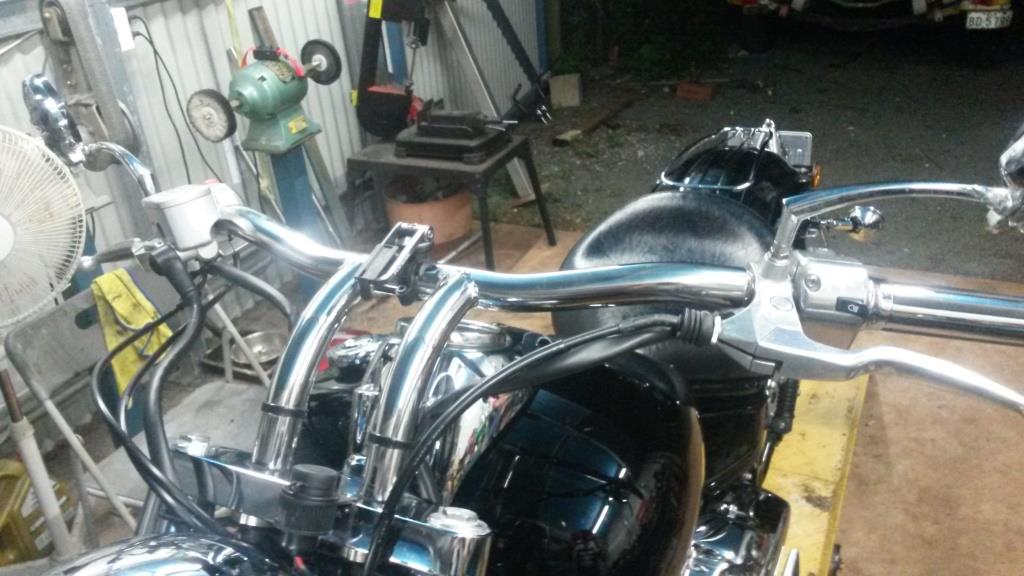
or If you click on the smaller preview and copy you get that one
| I sometimes wonder what I"ll do when I grow up.... but not very often 
| | Post edited by peteronkarra on 28 Apr 2015 - 01:39 |
|
| | | GerPa | | Jupiter | | | | Reg. Date | : | 10/12/2011 | | Posts | : | 1,919 | | Location | : | Mackay, Central Queensland, Australia |
|
| | Posted : 28 Apr 2015 - 01:39 Post title : Re: Useful forum information. (Re: peteronkarra) | | | Pete
That Bloody Leethal is right. Your a "Bloody Legend" 
Thanks Mate I owe Ya one.
| May-2011-1600, 20306 Tune, Mustang Vintage Solo Seat, Meerkat Cat Bypass, + Meerkat Modified Short TORS ,K&N Air Cleaner,K&N Oil Filter, JBQ lifting system, Gold Plug Magnetic Sump Plug,Dart Fly screen, Rivco Risers, GiPro Gear Indicator, Breakaway Cruise Control, Avon ISO Grips, Scorpion Western Low Handlebars, Kury Switchblade Pegs, Garmin Zumo390LM,Michelin RC2 on Front RC 3 on ,Modified Rear Drive Pulley Hub Bearings (Mat1600/Alex4 Modification) Front Susp: Std & 7.5W Oil /126mm Air Gap & Rear:Hagon Nitro's with 26Kg/cm Springs + Lots of other "Bling" stuff.
| | Post edited by GerPa on 28 Apr 2015 - 02:53 |
|
| | | peteronkarra | | Chaac | | | | Reg. Date | : | 01/04/2012 | | Posts | : | 834 | | Location | : | Karragarra Island, Queensland, Australia |
|
| | Posted : 28 Apr 2015 - 01:41 Post title : Re: Useful forum information. (Re: GerPa) | | |
A bit more info I found as well above
| I sometimes wonder what I"ll do when I grow up.... but not very often
|
|
| | | GerPa | | Jupiter | | | | Reg. Date | : | 10/12/2011 | | Posts | : | 1,919 | | Location | : | Mackay, Central Queensland, Australia |
|
| | Posted : 28 Apr 2015 - 02:58 Post title : Re: Useful forum information. (Re: peteronkarra) | | | Oih Pete
" By Joves He got it"  Finally Finally
What I found is once you have bought up the "Big Picture" in the album is to Right Click on it and "Copy Image Location" then go back to the text where you have the cursor and right click paste.
Thanks Pete, Once again today I learnt something and I will go to be a bit smarter that I woke up.
| May-2011-1600, 20306 Tune, Mustang Vintage Solo Seat, Meerkat Cat Bypass, + Meerkat Modified Short TORS ,K&N Air Cleaner,K&N Oil Filter, JBQ lifting system, Gold Plug Magnetic Sump Plug,Dart Fly screen, Rivco Risers, GiPro Gear Indicator, Breakaway Cruise Control, Avon ISO Grips, Scorpion Western Low Handlebars, Kury Switchblade Pegs, Garmin Zumo390LM,Michelin RC2 on Front RC 3 on ,Modified Rear Drive Pulley Hub Bearings (Mat1600/Alex4 Modification) Front Susp: Std & 7.5W Oil /126mm Air Gap & Rear:Hagon Nitro's with 26Kg/cm Springs + Lots of other "Bling" stuff.
| | Post edited by GerPa on 28 Apr 2015 - 09:06 |
|
| | | Leethal | | Zeus | | | | Reg. Date | : | 24/01/2011 | | Posts | : | 6,593 | | Location | : | Australia |
|
| | Posted : 28 Apr 2015 - 06:51 Post title : Re: Useful forum information. (Re: GerPa) | | | That Bloody Leethal is right. Your a "Bloody Legend"
Shit Gerry, he will start believing that if you keep it up.
| Experience is something you get just after you needed it
1600,Foran Razorbacks, Meerkat bypass, Dyno tune, real headlight,plenty of chrome,switchblade pegs, Nitron R3 shocks & Ikon progressive fork springs etc. Scorpion Western Low handlebars. PH adjustable fork caps.
|
|
| | | peteronkarra | | Chaac | | | | Reg. Date | : | 01/04/2012 | | Posts | : | 834 | | Location | : | Karragarra Island, Queensland, Australia |
|
| | Posted : 28 Apr 2015 - 07:13 Post title : Re: Useful forum information. (Re: Leethal) | | |
Leethal wrote:
That Bloody Leethal is right. Your a "Bloody Legend"
Shit Gerry, he will start believing that if you keep it up. |
|
All good Lee
never believe your own publicity.
| I sometimes wonder what I"ll do when I grow up.... but not very often
|
|
| | | Pacificblue | | Set | | | | Reg. Date | : | 19/03/2019 | | Posts | : | 9 | | Location | : | Candelo, New South Wales, Australia |
|
| | Posted : 07 Nov 2019 - 10:03 Post title : Re: Useful forum information. (Re: peteronkarra) | | | I should have read this before I posted my seat pic , oh well next time
Ps . Think I had @ beer or two with you GERpa on a veranda in Crows Nest ( rebuilt blue 1600 )
| People rarely remember who came first but they never remember who came second
|
|
| | | Leethal | | Zeus | | | | Reg. Date | : | 24/01/2011 | | Posts | : | 6,593 | | Location | : | Australia |
|
| | Posted : 08 Nov 2019 - 04:34 Post title : Re: Useful forum information. (Re: Pacificblue) | | | You wouldn't forget him if you did.
| Experience is something you get just after you needed it
1600,Foran Razorbacks, Meerkat bypass, Dyno tune, real headlight,plenty of chrome,switchblade pegs, Nitron R3 shocks & Ikon progressive fork springs etc. Scorpion Western Low handlebars. PH adjustable fork caps.
|
|
| | | | Posted : 26 Mar 2026 - 18:58 Post title : Re: Useful forum information. (Re: Boomer) | | |
Boomer wrote:
This will probably be a constantly updated thread.
1. EMBEDDING LINKS and PiICTURES.
In order to embed links to other sites, pictures etc. the only requirement is that you always have the "http://" prefix in front of the address, nothing else.
Examples:
Link - http: //www. yoursite .com (WITHOUT spaces).
Your URL link will then automatically show up as "Link" in your post. The title "Link" can be renamed, just edit your post and replace the word "title" with the desired name.
Picture - http:// www.yoursite.com /yourpicture.jpg (WITHOUT spaces)
You can also upload a picture directly from your PC and embed it into your post ... without further modification.
When writing a post just click "upload picture" and select it from your hard disk.
The picture will be embedded at the exact position your cursor was last at in your post.
This picture will also be included in your photo album, thus adding to the used space in your total quota of 10 MB (see below).
2. PHOTO ALBUM.
You can upload pictures directly into your photo album.
The maximum size allowed is 200 kb per picture.
Each member has an initial disk space of 10 MB available for pictures.
Therefore, if on average your pictures are 80kb each in size, your album will hold a total of 125 pictures.
In order to embed a picture from your photo album into a post ... click on the "upload photo" button and then select the "use photo album" button to select picture from your photo album.
3. Saving a post for later
When composing a post/reply, you can now save it for later (days, weeks etc.) and re-edit/save it as many times as you like before submitting it.
Just click on the "save for later" button from within the editor.
It will be saved in the "My home" section (click on "edit" and it will automatically take you back into the editor, just as if you were replying to a post for the first time).
4. Private Messages.
The Private Message facility has a limit of 400 "saved" messages, irrespective of if they are "sent" or received "messages".
5. Member Status.
As with most modern forum software we also have post counters.
The following are all Thunder Gods taken from a variety of mythologies:
Set (Egyptian mythology) = 1-499 posts.
Chaac (Maya mythology) = 500-999 posts.
Jupiter (Roman mythology) = 1000-1999 posts.
Thor (Norse mythology) = 2000-3999 posts.
Taranis (Celt mythology) = 4000-5999 posts.
Zeus (Greek mythology) = 6000-7999 posts.
Thunderbird (Native American mythology) = 8000 posts + over.
6. Logging in.
If you have difficulty logging in try this:
Go onto the front/main page with your mouse (somewhere in the middle).
Right click and hit "refresh" or "reload" (depending on if you use Internet Explorer or Firefox).
If this fails send and e-mail to admin@thunderbird1600.com mentioning which browser you are using and we'll get back to you.
|
|
Any idea what it takes to be able to look at the Tune repository in the performance section?
I get this message when I try to open it: "This is a Verified Members Only Topic. Access Denied!"
|
|
| | | Leethal | | Zeus | | | | Reg. Date | : | 24/01/2011 | | Posts | : | 6,593 | | Location | : | Australia |
|
| | Posted : 27 Mar 2026 - 10:08 Post title : Re: Useful forum information. (Re: Cook10Thunderbird) | | | I think it takes about 31 posts to be eligible.
| Experience is something you get just after you needed it
1600,Foran Razorbacks, Meerkat bypass, Dyno tune, real headlight,plenty of chrome,switchblade pegs, Nitron R3 shocks & Ikon progressive fork springs etc. Scorpion Western Low handlebars. PH adjustable fork caps.
|
|
|
| |
| |
|